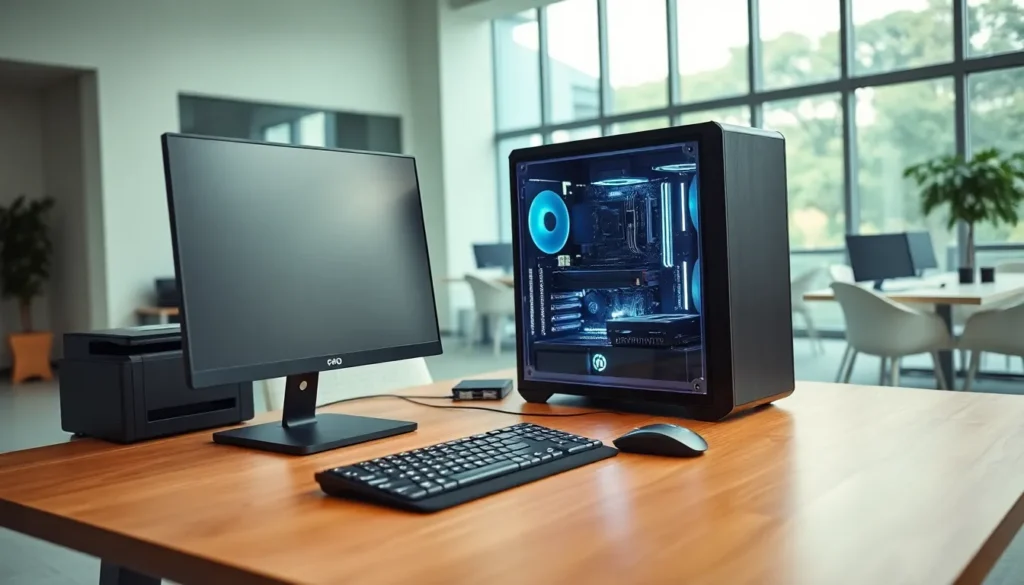
What is hardware? This question forms the foundation of understanding how computers work. Hardware refers to the physical components that make up a computer system. These parts include everything users can touch, from the keyboard under their fingers to the processor inside the case.
Every computer depends on hardware to function. Without these physical components, software would have nothing to run on. This guide explains what hardware is, covers the main types of computer hardware, and shows how it differs from software. Readers will also learn why hardware matters for everyday computing.
Table of Contents
ToggleKey Takeaways
- Hardware refers to the physical components of a computer system that you can touch, including the CPU, motherboard, RAM, and storage devices.
- Computer hardware divides into two main categories: internal components (like processors and memory) and external devices (like keyboards and monitors).
- Hardware and software are interdependent—hardware provides the physical platform, while software provides the instructions for it to perform tasks.
- Upgrading hardware components like CPUs, RAM, or SSDs directly improves computer performance and speed.
- Understanding what hardware is helps users make informed decisions when buying, upgrading, or troubleshooting their computers.
- Always verify hardware compatibility before purchasing upgrades to ensure components work together properly.
Definition of Hardware
Hardware is the physical equipment that makes a computer system work. It includes all the tangible parts users can see, touch, and hold. A computer’s hardware handles data processing, storage, input, and output functions.
The term “hardware” comes from the physical nature of these components. Unlike software, which consists of code and programs, hardware exists as real objects. A motherboard is hardware. A hard drive is hardware. A monitor is hardware. Each piece serves a specific purpose in the overall system.
Computer hardware falls into several categories based on function. Some hardware processes information. Other hardware stores data. Certain hardware allows users to enter commands, while different hardware displays results. Together, these components create a complete computing system.
Without hardware, computers simply wouldn’t exist. The hardware provides the platform where all computing happens. Software needs hardware to run, store files, and communicate with users. This relationship makes hardware essential to every digital task people perform daily.
Types of Computer Hardware
Computer hardware divides into two main groups: internal components and external devices. Internal hardware sits inside the computer case. External hardware connects from outside. Both types are essential for a working system.
Internal Hardware Components
Internal hardware includes the core components that power a computer. These parts work together inside the system unit.
Central Processing Unit (CPU): The CPU serves as the computer’s brain. It executes instructions and performs calculations. Modern CPUs contain billions of transistors and handle millions of operations per second.
Motherboard: This large circuit board connects all hardware components. The motherboard allows the CPU, memory, and storage devices to communicate. Every internal component plugs into or attaches to the motherboard.
Random Access Memory (RAM): RAM provides temporary storage for active programs and data. More RAM allows computers to run multiple applications smoothly. When users shut down their computers, RAM clears its contents.
Storage Devices: Hard disk drives (HDDs) and solid-state drives (SSDs) store data permanently. These hardware components keep files, programs, and the operating system safe even when power is off. SSDs offer faster speeds than traditional HDDs.
Graphics Processing Unit (GPU): The GPU handles visual output. It processes images, videos, and graphics for display. Gamers and video editors rely on powerful GPUs for their work.
Power Supply Unit (PSU): The PSU converts electrical power from outlets into usable power for computer components. It distributes electricity to the motherboard, drives, and other hardware.
External Hardware Devices
External hardware connects to the computer from outside the case. These devices allow users to interact with their systems.
Input Devices: Keyboards, mice, scanners, and microphones let users send data to the computer. Each input device translates human actions into digital signals the computer understands.
Output Devices: Monitors, printers, and speakers display or produce results from the computer. A monitor shows visual output. Speakers produce audio. Printers create physical copies of digital documents.
Peripheral Devices: External hard drives, USB flash drives, and webcams extend computer functionality. Users connect these hardware devices as needed for specific tasks.
Hardware vs. Software: Key Differences
Hardware and software work together, but they differ in fundamental ways. Understanding these differences helps users troubleshoot problems and make better purchasing decisions.
Physical vs. Digital: Hardware consists of physical objects. Users can pick up a mouse or replace a hard drive. Software exists as code and programs stored on hardware. People can’t hold software in their hands.
Permanence: Hardware stays relatively fixed once installed. Upgrading hardware often means buying new components. Software updates happen frequently through downloads and patches.
Wear and Damage: Hardware wears out over time. Moving parts fail. Circuits degrade. Software doesn’t experience physical wear, though it can become outdated or corrupted.
Cost Structure: Hardware requires upfront purchase costs. Users buy a graphics card once and use it for years. Software may involve one-time purchases, subscriptions, or free downloads.
Interdependence: Neither hardware nor software works alone. Hardware needs software to perform useful tasks. Software needs hardware to execute its instructions. A computer with only hardware is a paperweight. Software without hardware has nowhere to run.
This relationship explains why both aspects matter for computing. Upgrading hardware improves performance. Updating software adds features and fixes bugs. Smart users maintain both.
Why Hardware Matters
Hardware determines what a computer can do. Better hardware enables faster performance, more storage, and improved graphics. Poor hardware limits capability regardless of software quality.
Performance Impact: Faster CPUs complete tasks quicker. More RAM allows smoother multitasking. Solid-state drives reduce loading times dramatically. Each hardware upgrade produces measurable improvements.
Task Requirements: Different activities demand different hardware. Basic web browsing works fine on modest systems. Video editing requires powerful processors and ample RAM. Gaming needs strong graphics cards. Users should match their hardware to their needs.
Longevity and Value: Quality hardware lasts longer and performs better. Investing in reliable components saves money over time. Cheap hardware often fails sooner and frustrates users.
Compatibility Considerations: Hardware must work together. A new graphics card needs a compatible motherboard slot and sufficient power supply capacity. Users should verify compatibility before purchasing hardware upgrades.
Understanding hardware helps people make informed decisions. They can diagnose problems, plan upgrades, and choose computers that fit their requirements. This knowledge proves valuable whether someone buys a budget laptop or builds a custom desktop.