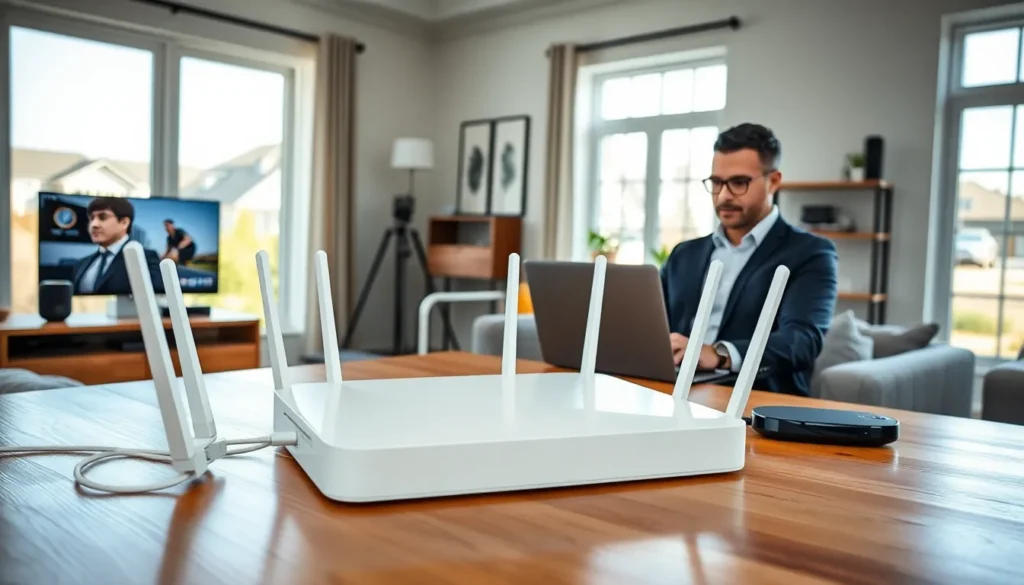
Top home networking has become essential for modern households. Families now rely on stable internet connections for work, streaming, gaming, and smart home devices. A poorly configured network leads to dropped video calls, buffering streams, and frustrated users.
The average American home connects over 20 devices to its network. This number continues to grow as smart thermostats, security cameras, and voice assistants become standard. Building a reliable home network requires the right equipment and proper configuration.
This guide covers the essential components of top home networking setups. Readers will learn about routers, mesh systems, switches, and extenders. The article also provides practical tips for optimizing network performance throughout any home.
Table of Contents
ToggleKey Takeaways
- Top home networking setups require quality routers or mesh systems to handle 20+ connected devices, streaming, gaming, and remote work simultaneously.
- Mesh networking systems provide seamless whole-home coverage and outperform traditional Wi-Fi extenders for larger homes.
- Place your router in a central, elevated location away from walls and appliances to maximize wireless signal coverage.
- Use wired Ethernet connections for desktop computers, gaming consoles, and smart TVs to achieve more stable speeds than Wi-Fi.
- Enable automatic firmware updates and use quality of service settings to prioritize video calls and important traffic over background downloads.
- Create a separate network for smart home devices to improve both security and overall network performance.
Understanding Modern Home Networking Needs
Home networking requirements have changed dramatically over the past decade. High-definition video streaming consumes significant bandwidth. A single 4K stream requires approximately 25 Mbps of consistent throughput. Most households run multiple streams simultaneously.
Remote work has added new demands to home networks. Video conferencing applications need low latency and stable connections. A laggy Zoom call can derail important meetings. Workers also need secure connections when accessing company resources from home.
Online gaming places unique stress on home networks. Gamers require low ping times and minimal packet loss. These factors matter more than raw download speeds for competitive play. Many households now support multiple gamers at once.
Smart home devices create constant network traffic. Security cameras upload footage to cloud servers around the clock. Smart speakers listen for voice commands and stream responses. Each device, while individually light on bandwidth, adds up quickly.
Top home networking solutions must address all these needs simultaneously. The network should handle streaming in one room while supporting a video call in another. It should maintain low latency for gaming while processing smart home commands without delay.
Bandwidth requirements vary by household. A family of four with teenagers likely needs more capacity than a couple who primarily browses the web. Assessing current usage patterns helps determine the right equipment investments.
Essential Home Networking Equipment
Building a top home networking setup starts with selecting the right hardware. The equipment choices determine network speed, coverage, and reliability. Quality components provide better performance and longer service life.
Routers and Mesh Systems
The router serves as the central hub of any home network. It connects to the modem and distributes internet access throughout the home. Modern routers support Wi-Fi 6 or Wi-Fi 6E standards, which offer faster speeds and better device handling.
Standalone routers work well for smaller homes and apartments. They provide excellent performance within their coverage range. Premium models from brands like ASUS, Netgear, and TP-Link offer advanced features including quality of service controls and parental management.
Mesh networking systems suit larger homes better than traditional routers. These systems use multiple access points that work together as one network. Users experience seamless coverage as they move through the house. The network automatically connects devices to the nearest access point.
Popular mesh systems include Google Nest WiFi Pro, Eero Pro 6E, and Netgear Orbi. These products simplify setup through smartphone apps. Most users can install a complete mesh system in under 30 minutes. Top home networking often relies on mesh technology for consistent whole-home coverage.
Wi-Fi 7 routers have begun entering the market in 2024 and 2025. These devices support even faster theoretical speeds. But, most households will find Wi-Fi 6E more than sufficient for current needs.
Network Switches and Extenders
Network switches expand the number of wired connections available. They connect to the router and provide additional Ethernet ports. Wired connections offer more stable speeds than wireless for devices that support them.
Gigabit switches cost relatively little and provide significant benefits. Desktop computers, gaming consoles, and smart TVs all perform better with wired connections. An 8-port switch typically costs between $20 and $40.
Managed switches offer more control for advanced users. They allow network segmentation and traffic prioritization. Most home users will find unmanaged switches perfectly adequate.
Wi-Fi extenders boost signal strength in areas with weak coverage. They receive the wireless signal and rebroadcast it. This solution works for homes where a full mesh system seems excessive.
Extenders do have limitations. They typically reduce overall throughput because they use the same radio to receive and transmit. Mesh systems handle this issue better through dedicated backhaul channels. For top home networking performance, mesh systems generally outperform extenders.
Tips for Optimizing Your Home Network
Proper configuration matters as much as hardware selection. Even the best equipment underperforms when set up incorrectly. These tips help maximize home network performance.
Router placement significantly affects coverage. The router should sit in a central location, elevated off the floor. Walls, floors, and large appliances block wireless signals. Keeping the router away from microwaves and cordless phones reduces interference.
Channel selection can resolve congestion issues. Wi-Fi networks operate on specific channels within their frequency bands. Neighboring networks on the same channel compete for airtime. Most modern routers automatically select the least congested channel.
The 5 GHz and 6 GHz bands offer faster speeds than 2.4 GHz. But, these higher frequencies have shorter range. Devices closer to the router should use 5 GHz or 6 GHz when available. Devices farther away may need the 2.4 GHz band for reliable connections.
Regular firmware updates improve security and performance. Router manufacturers release updates that fix bugs and add features. Many routers can update automatically. Users should verify this setting is enabled.
Quality of service settings prioritize important traffic. Users can configure the router to favor video calls over file downloads. This ensures critical applications maintain performance during heavy usage.
Network segmentation improves both security and performance. Creating a separate network for IoT devices isolates them from computers and phones. A compromised smart device cannot then access sensitive data on other machines.
Top home networking setups benefit from periodic speed tests. Running tests from different locations reveals coverage gaps. This information helps determine whether additional access points or configuration changes are needed.
Rebooting the router occasionally clears memory and resolves minor issues. A monthly restart keeps the network running smoothly. Some routers support scheduled automatic reboots.