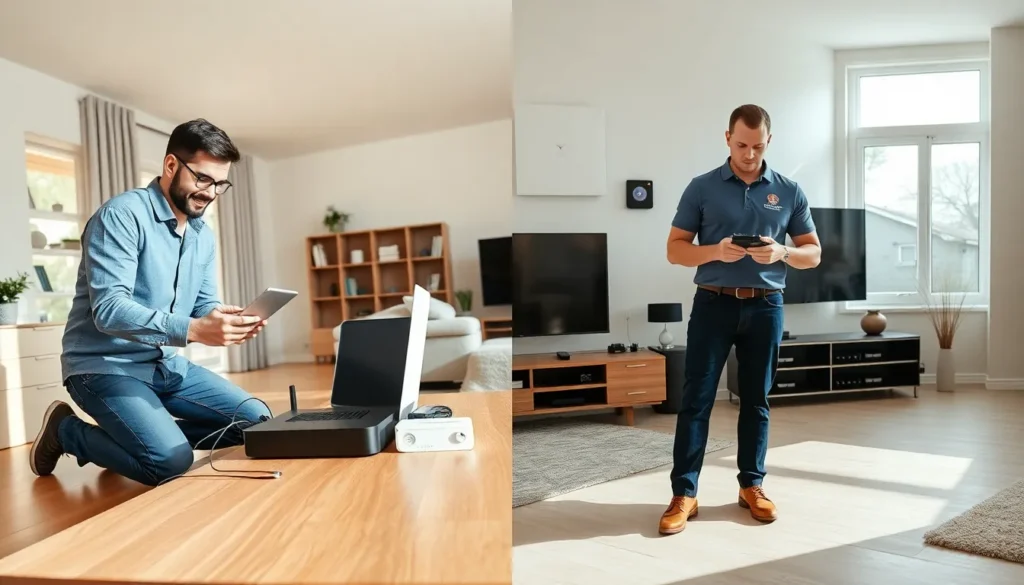
Home networking vs. professional installation is a decision that affects every connected device in a household. A reliable network supports streaming, remote work, gaming, and smart home systems. The question is simple: should homeowners set up their own network or hire a professional?
Both options have clear advantages and drawbacks. DIY setups offer cost savings and flexibility. Professional installations provide expertise and optimized performance. This guide breaks down each approach so readers can make an informed choice based on their needs, budget, and technical comfort level.
Table of Contents
ToggleKey Takeaways
- Home networking vs. professional installation depends on your budget, technical skills, and performance requirements.
- DIY home networking saves money ($100–$300 for equipment) and offers flexibility, but requires time and technical know-how.
- Professional installation costs $200–$1,000+ but delivers optimized performance, structured cabling, and ongoing support.
- Larger homes, multi-story buildings, and high-demand users benefit most from professional network setup.
- Evaluate your home’s size, layout, and future scalability needs before deciding on a DIY or professional approach.
- Many homeowners start with DIY setups and upgrade to professional installations as their networking needs grow.
What Is Home Networking?
Home networking refers to the system of connected devices within a residence. This includes routers, modems, switches, access points, and the cables or wireless signals that link them together. A home network allows computers, smartphones, tablets, smart TVs, and IoT devices to communicate with each other and access the internet.
Modern home networking has grown more sophisticated. Today’s households often support 15 to 25 connected devices simultaneously. Streaming 4K video, video conferencing, online gaming, and smart home automation all demand stable, fast connections.
A basic home network setup typically includes:
- Modem: Connects to the internet service provider (ISP)
- Router: Distributes the internet connection to devices
- Access points or mesh nodes: Extend wireless coverage
- Ethernet cables: Provide wired connections for stationary devices
Home networking can be as simple as plugging in a router or as complex as running Ethernet cables through walls and configuring multiple access points. The approach depends on the home’s size, layout, and usage requirements.
DIY Home Networking: Pros and Cons
Setting up a home network without professional help appeals to many homeowners. DIY home networking puts control in the user’s hands, but it comes with trade-offs.
Pros of DIY Home Networking
Cost Savings
The most obvious benefit is money. Homeowners avoid labor costs, which can range from $200 to $500 or more depending on the project scope. They purchase only the equipment they need and can shop for deals.
Flexibility and Control
DIY setups allow homeowners to customize their network. They choose the hardware, configure settings, and make changes whenever they want. There’s no waiting for a technician’s schedule.
Learning Opportunity
Setting up a home network teaches valuable skills. Understanding how routers, IP addresses, and wireless channels work helps with troubleshooting future issues. Many people find the process satisfying once they get it right.
Cons of DIY Home Networking
Technical Challenges
Not everyone feels comfortable configuring network settings. Issues like interference, dead zones, and security vulnerabilities require technical knowledge to solve. A poorly configured network can perform worse than a basic plug-and-play setup.
Time Investment
Researching equipment, running cables, and troubleshooting problems takes hours, sometimes days. For busy homeowners, this time cost can outweigh financial savings.
Limited Troubleshooting Support
When something breaks, DIY users rely on forums, YouTube videos, and trial-and-error. Without expert guidance, problems can persist for weeks.
DIY home networking works well for tech-savvy individuals with straightforward needs. But, larger homes or demanding applications may require a different approach.
Professional Network Installation: Pros and Cons
Hiring a professional to install a home network shifts the burden to an expert. This option suits homeowners who prioritize performance and convenience over cost savings.
Pros of Professional Installation
Expertise and Optimization
Professional installers assess a home’s layout and identify optimal router placement, cable routes, and access point locations. They understand signal interference, bandwidth allocation, and security protocols. The result is a network that performs at its best from day one.
Time Efficiency
A professional completes in a few hours what might take a homeowner an entire weekend. They arrive with the right tools and experience to handle unexpected challenges.
Structured Cabling
For homes that need Ethernet runs through walls, ceilings, or floors, professionals deliver clean, code-compliant installations. They terminate cables properly and label connections for easy future maintenance.
Ongoing Support
Many installation companies offer warranties and support plans. If the network has issues, homeowners have a direct contact for help rather than searching online forums.
Cons of Professional Installation
Higher Upfront Cost
Professional services add significant expense. Basic installations start around $200, but complex setups with structured cabling can exceed $1,000. For budget-conscious homeowners, this cost is hard to justify.
Less Control
Some professionals configure networks with proprietary equipment or locked settings. Homeowners may find it difficult to make changes without calling the installer back.
Scheduling Constraints
Booking an appointment means working around a technician’s availability. In busy seasons, wait times can stretch to weeks.
Professional installation makes sense for large homes, multi-story buildings, or households with high-performance demands like home offices and media servers.
Key Factors to Consider Before Deciding
Choosing between DIY home networking and professional installation depends on several factors. Homeowners should evaluate their specific situation before committing.
Home Size and Layout
Small apartments and single-story homes often work fine with a single router and minimal configuration. Larger homes with multiple floors, thick walls, or long distances between rooms benefit from professional assessment and mesh systems or hardwired access points.
Technical Skill Level
Honest self-assessment matters here. Someone who comfortably configures computer settings and follows technical guides can likely handle a DIY setup. Those who struggle with basic device connections should consider professional help.
Budget
DIY home networking costs $100 to $300 for equipment in most cases. Professional installation adds $200 to $1,000+ in labor. Homeowners must weigh upfront savings against potential performance issues or future troubleshooting headaches.
Performance Requirements
Households with basic browsing and streaming needs have lower stakes. Those running home offices, gaming competitively, or managing smart home ecosystems need optimized networks. Higher demands often justify professional expertise.
Future Scalability
Will the household add more devices? Will remote work continue? Planning for growth matters. Professionals can install infrastructure that supports expansion, while DIY setups may require rework later.
Time Availability
Weekend warriors with patience can enjoy the DIY process. Busy professionals may prefer paying for quick, reliable results.
Home networking decisions aren’t permanent. Many homeowners start with DIY setups and upgrade to professional installations as their needs grow. Others hire professionals for initial setup, then manage changes themselves.