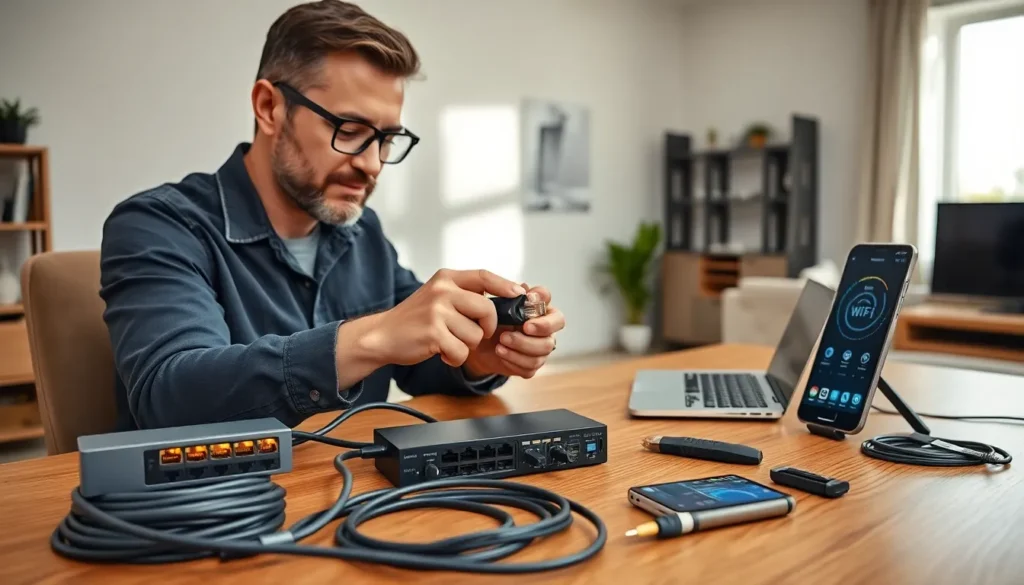
Home networking tools make the difference between a connection that works and one that frustrates. Whether someone is setting up a new router, running Ethernet cables through the walls, or troubleshooting slow Wi-Fi, the right equipment saves time and prevents headaches.
Most households rely on internet access for work, streaming, gaming, and smart home devices. A weak or unreliable network disrupts all of these activities. The good news? Building and maintaining a solid home network doesn’t require professional expertise, just the proper tools and a bit of know-how.
This guide covers the essential home networking tools every homeowner or tech enthusiast should consider. From cable crimpers to Wi-Fi analyzers, these items help users create, test, and optimize their networks with confidence.
Table of Contents
ToggleKey Takeaways
- The right home networking tools save time and prevent frustration when setting up, testing, or troubleshooting your network.
- Ethernet crimping tools, cable strippers, and RJ-45 connectors allow you to create custom cable lengths for professional-grade installations.
- Cable testers and tone generators help verify connections and trace cables hidden in walls without damaging drywall.
- Wi-Fi analyzer apps and heatmap software reveal dead zones, channel congestion, and optimal router placement for better wireless performance.
- Essential hardware like network switches, wireless access points, and surge protectors form the backbone of a reliable home network.
- Investing in quality home networking tools upfront helps you build and maintain a stable connection for work, streaming, gaming, and smart home devices.
Network Cable and Crimping Tools
Running custom Ethernet cables gives users full control over their home network layout. Pre-made cables work fine for short runs, but they can’t match the flexibility of custom lengths that fit perfectly behind walls or under floors.
Ethernet Crimping Tool
A crimping tool attaches RJ-45 connectors to the ends of Ethernet cables. Quality crimpers produce consistent results and reduce the chance of loose connections. Look for models that handle Cat5e, Cat6, and Cat6a cables, these cover most residential needs.
Cable Strippers and Cutters
Precise cuts matter. A dedicated cable stripper removes the outer jacket without damaging the twisted pairs inside. Some crimping tools include built-in cutters, but standalone strippers often provide cleaner results.
RJ-45 Connectors and Keystones
Stock up on RJ-45 connectors before starting any project. Buy more than needed, mistakes happen, especially for beginners. Keystone jacks work well for wall plates, creating clean termination points throughout the home.
Punch-Down Tool
For patch panels and keystone jacks, a punch-down tool inserts wires into their slots quickly and securely. Spring-loaded versions reduce hand fatigue during larger projects. This tool is essential for anyone running multiple cable drops to a central location.
These home networking tools form the foundation of any DIY cabling project. With practice, users can create professional-grade installations that last for years.
Network Testing and Diagnostic Equipment
After running cables, testing becomes critical. A beautiful cable installation means nothing if the connections don’t work properly. Diagnostic equipment identifies problems before they cause frustration.
Cable Testers
A basic cable tester verifies continuity and correct wiring. It confirms that all eight wires connect properly and in the right order. Advanced testers check for signal quality, crosstalk, and cable length. For most home users, an entry-level tester under $30 handles the job well.
Tone Generators and Probes
Sometimes cables get lost in walls or ceilings. A tone generator sends a signal through the cable, and a probe detects that signal at the other end. This combination helps users trace cables without tearing apart drywall.
Network Switches with LED Indicators
While not a traditional diagnostic tool, a switch with activity LEDs provides quick visual feedback. Blinking lights confirm data flow. No activity on a port? That signals a problem worth investigating.
Multimeter
A basic multimeter checks for electrical issues that might affect network equipment. It measures voltage at outlets and ensures proper grounding, important for protecting sensitive networking hardware from power surges.
These home networking tools help users verify their work and troubleshoot issues quickly. Testing saves time in the long run by catching problems early.
Wi-Fi Analysis and Optimization Tools
Wired connections offer stability, but most devices rely on Wi-Fi. Dead zones, interference, and slow speeds affect nearly every household. The right analysis tools reveal what’s happening with wireless signals.
Wi-Fi Analyzer Apps
Free and paid apps turn smartphones into Wi-Fi diagnostic devices. They display nearby networks, signal strength, and channel usage. Users can identify which channels have less congestion and adjust their router settings accordingly. Popular options include NetSpot, WiFi Analyzer, and Fing.
Signal Strength Meters
Dedicated hardware meters provide more accurate readings than phone apps. They measure signal strength in specific locations, helping users find the best spots for routers, access points, or mesh nodes. Some models also detect interference from non-Wi-Fi sources like microwaves or baby monitors.
Heatmap Software
Advanced users benefit from Wi-Fi heatmap tools. These applications create visual maps showing signal coverage throughout a home. They reveal dead zones and suggest optimal placement for additional access points. Ekahau and NetSpot offer heatmap features worth exploring.
Spectrum Analyzers
For serious troubleshooting, spectrum analyzers detect all radio frequency activity in the 2.4 GHz and 5 GHz bands. They identify interference sources that standard Wi-Fi tools miss. These devices cost more but provide detailed insight into wireless environments.
Home networking tools for Wi-Fi optimization help users squeeze maximum performance from their wireless setup. Small adjustments based on real data often produce significant improvements.
Basic Hardware for Network Setup
Beyond installation and testing equipment, certain hardware items belong in every home networking toolkit. These components form the backbone of a functional network.
Ethernet Cables (Various Lengths)
Keep a variety of pre-made cables on hand for quick connections. Short patch cables connect devices to nearby outlets. Longer cables work for temporary setups or testing. Cat6 cables support gigabit speeds and remain affordable.
Network Switch
Most routers include only four Ethernet ports. A network switch expands that capacity. An 8-port or 16-port unmanaged switch suits most homes. Users with more advanced needs might consider managed switches that offer traffic control features.
Wireless Access Points
Large homes often need more than one Wi-Fi source. Access points extend coverage to far corners of the property. They connect via Ethernet to the main router and broadcast additional wireless signals. Mesh systems offer a user-friendly alternative with seamless roaming.
Cable Management Supplies
Velcro straps, cable clips, and conduit keep installations tidy. Good cable management improves airflow around equipment and makes future maintenance easier. It also looks more professional.
Power Strip with Surge Protection
Networking equipment needs reliable power. A quality surge protector guards against voltage spikes that can damage routers, switches, and access points. Some models include battery backup for brief outages.
These home networking tools and hardware pieces work together to create a complete setup. Having them ready means fewer trips to the store during a project.