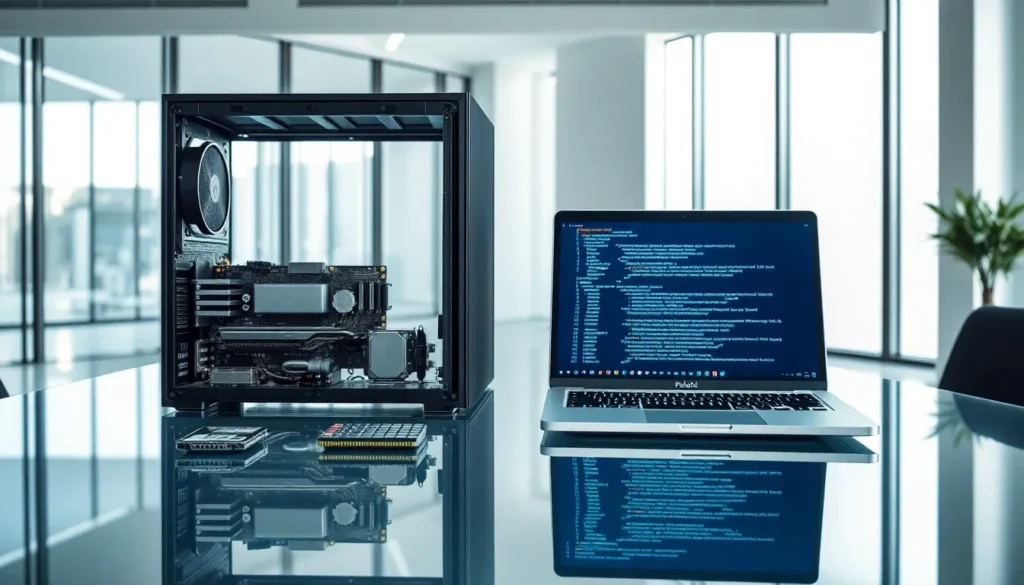
Hardware vs. software, it’s a distinction every computer user encounters, yet many people blur the lines between them. One you can touch. The other exists only as code. Together, they make modern computing possible.
Understanding the difference between hardware and software matters for anyone buying, troubleshooting, or simply using technology. Whether someone is upgrading a laptop, fixing a glitchy program, or deciding where to invest IT resources, knowing which component does what saves time, money, and frustration.
This guide breaks down exactly what hardware and software are, how they differ, and why they depend on each other to function.
Table of Contents
ToggleKey Takeaways
- Hardware refers to physical components like CPUs, RAM, and monitors, while software consists of digital programs and code that tell hardware what to do.
- Understanding hardware vs software distinctions helps with troubleshooting, making smarter purchasing decisions, and saving time and money.
- Hardware degrades and requires physical replacement, whereas software becomes obsolete but can be updated or reinstalled without touching any parts.
- Drivers act as the essential bridge between hardware and software, enabling devices like printers and graphics cards to communicate with your operating system.
- System performance depends on both quality hardware and optimized software working together—upgrading one without the other often creates bottlenecks.
- Neither hardware nor software functions alone; a computer without software is useless, and software without hardware has nowhere to run.
What Is Hardware?
Hardware refers to the physical components of a computer or electronic device. These are the parts someone can see, touch, and hold. Without hardware, software has nothing to run on.
Examples of Hardware
Hardware includes both internal and external components:
- CPU (Central Processing Unit): The brain of the computer. It processes instructions and performs calculations.
- RAM (Random Access Memory): Temporary storage that holds data the CPU needs right now.
- Hard Drive or SSD: Long-term storage for files, programs, and the operating system.
- Motherboard: The main circuit board connecting all hardware components.
- Graphics Card: Renders images, video, and animations.
- Monitor, Keyboard, Mouse: Input and output devices that let users interact with the system.
Hardware degrades over time. Components wear out, break, or become outdated. When a hard drive fails, it needs physical replacement. When RAM sticks malfunction, they must be swapped. This tangible nature defines hardware.
Types of Hardware
Hardware falls into several categories:
- Input Devices: Keyboards, mice, scanners, microphones
- Output Devices: Monitors, printers, speakers
- Storage Devices: Hard drives, SSDs, USB drives
- Processing Devices: CPUs, GPUs
- Internal Components: Motherboards, power supplies, cooling fans
Each piece of hardware serves a specific function. Remove any essential component, and the system either fails or loses capability.
What Is Software?
Software consists of programs, applications, and operating systems that tell hardware what to do. Unlike hardware, software has no physical form. It exists as code, a set of instructions written by developers.
Examples of Software
Software powers nearly every digital task:
- Operating Systems: Windows, macOS, Linux, Android, iOS
- Applications: Microsoft Word, Google Chrome, Photoshop, Spotify
- Utility Programs: Antivirus software, disk cleaners, backup tools
- Games: Everything from mobile apps to console titles
- Drivers: Small programs that help hardware communicate with the operating system
Software can be updated, modified, or deleted without touching any physical parts. A buggy app gets a patch. An outdated operating system receives an upgrade. This flexibility separates software from hardware.
Types of Software
Software breaks down into two main categories:
System Software: This includes operating systems and utility programs. System software manages hardware resources and provides a platform for other programs to run.
Application Software: These are programs designed for end-users. Word processors, web browsers, email clients, and games all qualify as application software.
There’s also firmware, software permanently embedded in hardware devices. Firmware lives on chips inside routers, printers, and other electronics. It’s a hybrid of sorts, sitting between pure hardware and pure software.
Core Differences Between Hardware and Software
Hardware and software differ in fundamental ways. Understanding these distinctions helps with troubleshooting, purchasing decisions, and general tech literacy.
Physical vs. Digital
The most obvious difference? Hardware is physical. Software is digital. A person can pick up a graphics card. They cannot pick up Microsoft Excel.
This distinction affects everything from repairs to upgrades. Broken hardware requires replacement parts. Broken software usually needs a reinstall or update.
Durability and Lifespan
Hardware wears out. Mechanical hard drives fail after years of spinning. Batteries lose capacity. Fans collect dust and slow down.
Software doesn’t wear out in the same way. It can become obsolete, unsupported, or incompatible with newer systems. But it doesn’t physically degrade. A copy of software from 2005 still works identically to when it was first installed, assuming the hardware can still run it.
Cost Considerations
Hardware often requires significant upfront investment. Buying a new computer, upgrading RAM, or replacing a monitor costs real money.
Software costs vary widely. Some programs are free (open-source software). Others require one-time purchases. Many now use subscription models, monthly or yearly fees for continued access.
Modification and Updates
Updating hardware means buying and installing new components. Upgrading a CPU requires opening the computer case, removing the old chip, and carefully installing a new one.
Updating software? Click a button. Download the patch. Restart the program. The process takes minutes, not hours.
| Aspect | Hardware | Software |
|---|---|---|
| Form | Physical | Digital |
| Degradation | Wears out over time | Becomes obsolete, not worn |
| Repair Method | Physical replacement | Reinstall or update |
| Transfer | Must be shipped or carried | Downloaded instantly |
| Examples | CPU, monitor, keyboard | Windows, Chrome, Photoshop |
How Hardware and Software Work Together
Hardware and software depend on each other completely. Neither functions alone. A computer without software is an expensive paperweight. Software without hardware has nowhere to exist.
The Boot Process
When someone presses the power button, hardware and software begin their partnership:
- The power supply sends electricity to the motherboard.
- The CPU activates and looks for the BIOS/UEFI firmware.
- BIOS/UEFI runs initial hardware checks and locates the operating system.
- The operating system loads from the storage drive into RAM.
- The OS takes control and launches the desktop environment.
Every step requires both hardware and software cooperation. The CPU (hardware) runs the BIOS (software). The hard drive (hardware) stores the operating system (software).
Drivers: The Bridge Between Worlds
Drivers are specialized software that help the operating system communicate with specific hardware. Without the right driver, a printer won’t print. A graphics card won’t display properly. A webcam won’t record.
When someone installs a new piece of hardware, they typically need to install its driver too. This small program translates commands between the operating system and the device.
Performance Depends on Both
A fast CPU can’t save poorly optimized software. Likewise, the best-coded program can’t overcome slow, outdated hardware. System performance relies on balance.
For gaming, both a powerful graphics card and optimized game software matter. For video editing, ample RAM and efficient editing software work hand in hand. Upgrading one without considering the other often leads to bottlenecks.
This interdependence explains why tech support asks about both hardware specs and software versions. Problems can originate from either side, or from how they interact.