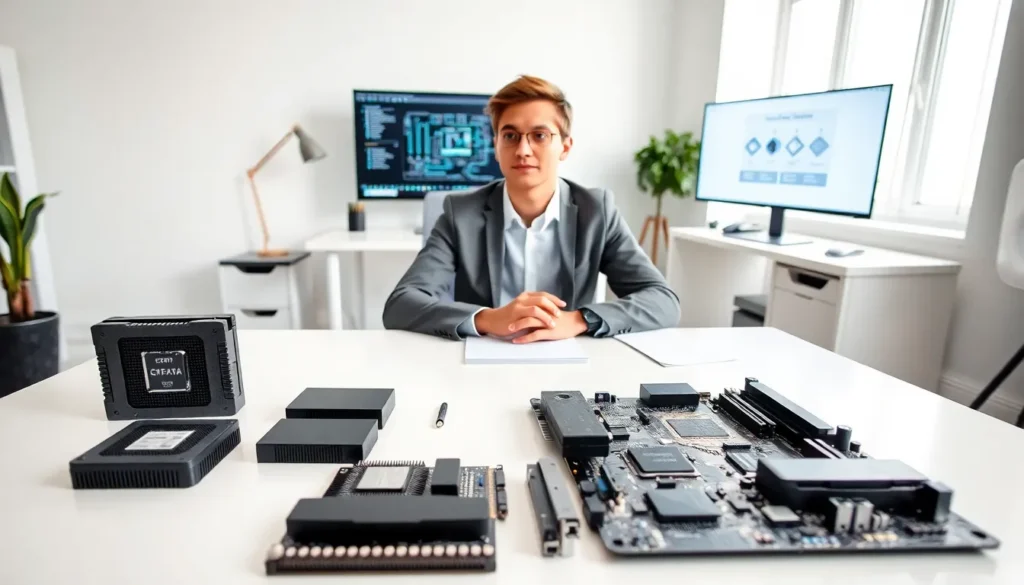
Hardware for beginners can feel overwhelming at first glance. Computers contain dozens of physical parts, and each one serves a specific purpose. The good news? Understanding the basics doesn’t require a computer science degree. This guide breaks down essential hardware components in plain language. Readers will learn what each part does, how to choose the right hardware, and what common terms actually mean. Whether someone is building their first PC or simply wants to understand what’s inside their laptop, this article provides a clear starting point.
Table of Contents
ToggleKey Takeaways
- Hardware for beginners starts with understanding that physical components like the CPU, RAM, and storage work together to make a computer function.
- The CPU acts as the brain of your computer—choose one based on your tasks, from basic web browsing to demanding video editing.
- RAM provides temporary memory for active programs, while SSDs offer faster permanent storage than traditional HDDs.
- Match your hardware choices to your needs: basic users need modest specs, while gamers and creators require more powerful components.
- Learning common hardware terms like motherboard, GPU, and PSU helps you understand product specifications and make smarter purchasing decisions.
- Investing in slightly better hardware now can save you from costly upgrades later.
What Is Computer Hardware?
Computer hardware refers to the physical parts of a computer system. These are the components users can touch, see, and hold. Hardware includes everything from the monitor and keyboard to the internal parts like the processor and hard drive.
Hardware works together with software to make a computer function. Software provides instructions. Hardware executes those instructions. Think of it this way: software is the recipe, and hardware is the kitchen equipment that cooks the meal.
The term “hardware” covers a broad range of devices. Input devices like mice and keyboards let users send commands to the computer. Output devices like monitors and speakers display results. Internal hardware components process data and store information.
For beginners, knowing the difference between hardware and software is the first step toward understanding how computers work. Once this foundation is clear, learning about specific hardware components becomes much easier.
Essential Hardware Components Every Beginner Should Know
Every computer contains several key hardware components. Some handle processing tasks. Others store data. Understanding these parts helps beginners make informed decisions about purchases and upgrades.
The Central Processing Unit (CPU)
The CPU is the brain of the computer. It processes instructions from software and performs calculations. Every action a computer takes, opening a file, running a game, loading a webpage, relies on the CPU.
CPUs are measured by their speed (in GHz) and core count. A higher GHz number means faster processing. More cores allow the CPU to handle multiple tasks at once. Intel and AMD are the two major CPU manufacturers.
For beginners choosing hardware, the CPU often determines what a computer can handle. Basic tasks like web browsing require modest CPUs. Gaming and video editing demand more powerful processors.
Memory and Storage Basics
Computers use two types of memory: RAM and storage drives.
RAM (Random Access Memory) is temporary memory. It holds data the CPU needs right now. When a user opens an application, that program loads into RAM. More RAM allows more programs to run simultaneously. Most computers today have between 8GB and 32GB of RAM.
Storage drives hold data permanently. Two main types exist:
- HDD (Hard Disk Drive): Uses spinning disks to store data. HDDs offer large storage capacity at lower prices but run slower than SSDs.
- SSD (Solid State Drive): Uses flash memory with no moving parts. SSDs load programs and files much faster than HDDs but cost more per gigabyte.
Beginners exploring hardware options should consider both RAM and storage. A computer with 16GB of RAM and an SSD will feel noticeably faster than one with 8GB of RAM and an HDD.
How to Choose Hardware for Your Needs
Choosing hardware depends entirely on intended use. A graphic designer needs different specs than someone who only checks email.
For basic use (web browsing, documents, streaming):
- An entry-level CPU works fine
- 8GB of RAM handles daily tasks
- A 256GB SSD provides enough storage for most users
For gaming:
- A mid-range or high-end CPU matters
- 16GB of RAM (or more) prevents slowdowns
- A dedicated graphics card (GPU) is essential
- At least 512GB of SSD storage accommodates modern games
For content creation (video editing, 3D rendering):
- A powerful multi-core CPU speeds up rendering
- 32GB of RAM (or more) handles large files
- Fast SSD storage improves workflow
- A professional-grade GPU accelerates specific tasks
Beginners should also consider future needs. Buying slightly better hardware now can delay the need for upgrades later. But, there’s no point paying extra for features that won’t be used.
One practical tip: read reviews and benchmarks before purchasing hardware. Real-world performance often differs from marketing claims.
Common Hardware Terms Explained
Technical jargon can confuse beginners. Here’s a quick reference for common hardware terms:
Motherboard: The main circuit board that connects all hardware components. Every other part plugs into or communicates through the motherboard.
GPU (Graphics Processing Unit): A specialized processor that handles visual rendering. Integrated GPUs are built into CPUs. Dedicated GPUs are separate cards with their own memory.
Power Supply Unit (PSU): Converts electricity from the wall outlet into power the computer can use. PSUs are rated in watts, higher wattage supports more powerful components.
Clock Speed: Measured in GHz, this indicates how many cycles per second a processor completes. Higher clock speeds generally mean faster performance.
Form Factor: Refers to the size and shape of hardware components. Desktops, laptops, and tablets use different form factors.
Peripheral: Any external device connected to a computer, such as a printer, webcam, or external hard drive.
Knowing these terms helps beginners understand hardware specifications. Product listings make more sense when the vocabulary is familiar.