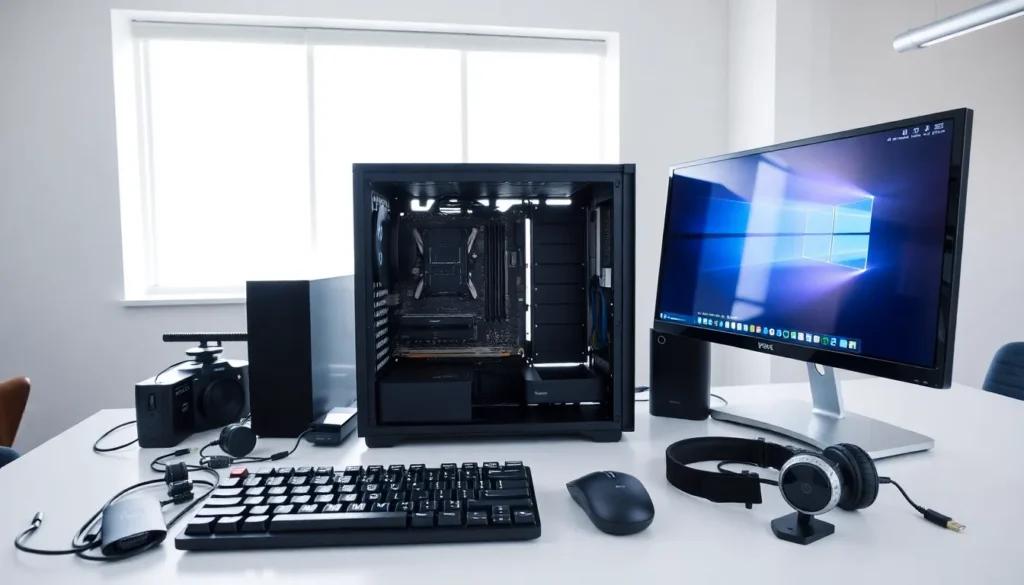
Hardware examples span everything from the processor inside a laptop to the keyboard on a desk. Understanding computer hardware helps users make smarter purchasing decisions, troubleshoot problems, and appreciate how their devices actually work. This guide breaks down the essential hardware components that power modern computers. It covers internal parts like CPUs and storage drives, plus external devices such as monitors and mice. Whether someone is building their first PC or simply curious about what’s under the hood, this overview delivers practical knowledge in plain terms.
Table of Contents
ToggleKey Takeaways
- Hardware examples fall into two categories: internal components (CPU, RAM, storage) and external peripherals (monitors, keyboards, mice).
- The CPU acts as the computer’s brain, while the motherboard connects all internal components like a central highway system.
- SSDs load programs faster than HDDs, but combining both storage types balances performance with budget.
- Input devices like keyboards and mice send commands to the computer, while output devices like monitors and printers display results.
- Upgrading individual hardware components can extend a computer’s useful life by several years.
- Choosing quality external peripherals makes daily computing more comfortable and productive.
What Is Computer Hardware?
Computer hardware refers to the physical components that make up a computing system. These are the tangible parts users can touch, unlike software, which consists of programs and operating systems.
Hardware examples fall into two main categories: internal and external. Internal hardware sits inside the computer case. External hardware connects from the outside, often through USB ports or wireless connections.
Every computer needs both types to function. The internal components handle processing and data storage. The external components let users interact with the machine and receive output.
Here’s a simple way to think about it: internal hardware is the brain and organs, while external hardware is like the hands and eyes. Both work together to create a complete system.
Modern hardware examples range from basic components found in budget laptops to high-performance parts in gaming rigs and workstations. The principles remain the same across different price points, only the speed and capacity change.
Internal Hardware Examples
Internal hardware lives inside the computer case. These components work together to process data, store information, and keep everything running smoothly.
Processing and Memory Components
The Central Processing Unit (CPU) serves as the computer’s brain. It executes instructions and performs calculations. Popular hardware examples include Intel Core processors and AMD Ryzen chips. Faster CPUs handle more tasks simultaneously.
The motherboard connects all internal components. It provides pathways for data to travel between the CPU, memory, and storage devices. Think of it as the central highway system.
Random Access Memory (RAM) stores data temporarily while programs run. More RAM allows users to open more applications at once. Common configurations include 8GB, 16GB, and 32GB modules.
The Graphics Processing Unit (GPU) handles visual rendering. Integrated graphics work fine for basic tasks. Dedicated graphics cards from NVIDIA or AMD power gaming and video editing.
A power supply unit (PSU) converts electricity from the wall outlet into usable power for components. Quality PSUs protect hardware from electrical issues.
Storage Devices
Storage devices hold data permanently, even when the computer powers off.
Hard Disk Drives (HDDs) use spinning magnetic platters to store data. They offer large capacities at affordable prices. A 1TB HDD costs less than a comparable SSD.
Solid State Drives (SSDs) store data on flash memory chips. They load programs and files much faster than HDDs. NVMe SSDs connect directly to the motherboard and deliver the quickest speeds.
Many users combine both storage types. They install the operating system on an SSD for speed and store large files on an HDD for value. This approach balances performance with budget.
These internal hardware examples form the foundation of any computer system. Upgrading individual components can extend a machine’s useful life by several years.
External Hardware Examples
External hardware connects to the computer from outside the case. These peripheral devices let users send commands and receive information from the system.
Input Devices
Input devices send data into the computer. They translate human actions into digital signals.
The keyboard remains the primary text input device. Mechanical keyboards use individual switches under each key. Membrane keyboards cost less but feel mushier to type on.
A mouse controls the cursor on screen. Optical mice use LED sensors, while laser mice work on more surface types. Gaming mice add extra buttons and adjustable sensitivity.
Touchpads appear on laptops as built-in pointing devices. They detect finger movements and translate them into cursor motion.
Microphones capture audio input. USB microphones offer plug-and-play convenience. Condenser mics provide higher quality for podcasting and streaming.
Webcams record video input. Many laptops include built-in cameras. External webcams typically deliver sharper images and better low-light performance.
Scanners convert physical documents into digital files. Flatbed scanners handle photos and paper. Sheet-fed scanners process multiple pages quickly.
Output Devices
Output devices display or produce results from the computer.
Monitors show visual output. LCD and LED displays dominate the market. Key specs include resolution, refresh rate, and panel type. A 1080p monitor works for general use, while 4K screens suit creative professionals.
Printers produce physical copies of digital documents. Inkjet printers handle photos well. Laser printers excel at text documents and cost less per page over time.
Speakers and headphones deliver audio output. Built-in laptop speakers work for casual listening. External speakers and quality headphones improve the experience significantly.
Projectors display images on large surfaces. They suit presentations and home theater setups.
These external hardware examples complete the computing experience. Users interact with their machines through input devices and receive results through output devices. Choosing quality peripherals makes daily computing more comfortable and productive.